Recent Questions
Q: I am having some difficulty dynamically adding items to a tree javascript and menu.
I have a menu with one "root" item. I see the use of the "+" symbol within the item name. I do not see any documentation regarding this symbol, only "|". Can you explain?
If I have one menu with this one "root" node, how would I add an subitem to this root node?
Here is my code so far, but the inserted items appear to be at the same level as the root node.
var rootItem = dtreet_ext_getItemIDByIndex ( 0,0 );
var menuItem = new Array(10);
for ( var i = 0; i < producers.length; i++ )
{
var producer = producers[ i ];
menuItem[0] = producer.name;
dtreet_ext_insertItem ( 0, 0, i + 1, menuItem );
A: See dtreet_ext_insertItem () function has the following parameters:
function dtreet_ext_insertItem (menuInd, parentItemID, itemInd, itemParams)
Creates a new item and inserts it into a specified position.
menuInd - index of a javascript and menu on a page, >= 0.
parentItemID - ID property of an item.<, >= 0.
itemInd - index of a new item within the javascript and menu, >= 0.
itemParams - item parameters.
Notice that parentItemID is the Id property of the parent item (notindex). If you want to add top items you should set parentItemID=0.
itemInd - you should use this parameter if you want to add item in thespecific place, for example set itemInd=5 if you want to add itembefore the existing item with itemInd=5.
If you set itemInd=null the new item will be added at the end of this submenu and its index will be added automatically.
Q: How do I center a menu item inthe drop down menu example?
A: Try to use the following parameter:
var itemAlignTop="center";Q: I can't figure out how to change the names of each tab for the simple dhtml tabs!
A: You can set the name of each tab in the Deluxe Tuner.
Double click on the item name in the Items area.
Or set the name of the tab using var bmenuItems:
var bmenuItems = [
["Name of Tab1","content1", "", "", "", "", "1", "", "", ],
["-","", "", "", "", "", "0", "", "", ],
["Name of Tab2","content2", "", "", "", "", "", "", "", ],
["-","", "", "", "", "", "0", "", "", ],
["Name of Tab2","content3", "", "", "", "", "", "", "", ],
["-","", "", "", "", "", "0", "", "", ],
["Contact us","content4", "", "", "", "", "2", "", "", ],
];
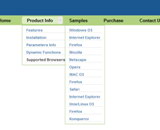
Q: I notice in your examples that your menus are horizontal and then drop down.
Is it possible to configure dhtml menu generator for vertical menus with submenus going left to right?
A: Yes, it is possible.
You should set the following parameter:
var isHorizontal=0;